
Homelab foundation – self-built server
running Fedora Server + Tailscale
A repurposed self-built AMD-based desktop running Fedora Server as a headless home server: the physical and operating system foundation that every other project in this portfolio runs on top of.
8 cores
headless
+ SATA SSD
Overview
Every project in this portfolio runs on a single physical machine: a desktop PC I built myself for gaming now repurposed as a headless home server. Rather than buying a pre-built NAS or renting a VPS, I installed Fedora Server directly on the hardware and configured everything from scratch: storage, networking, security hardening and the Docker runtime that hosts all the services above it.
The decision to use Fedora Server rather than the more common Ubuntu Server was deliberate. Fedora sits at the leading edge of the RPM ecosystem, ships with SELinux in enforcing mode by default and tracks closer to what Red Hat Enterprise Linux looks like in production environments. This makes Fedora Server a more realistic and more security-conscious choice than a typical homelab Ubuntu install.
The server runs continuously and is accessible from any of my devices via a Tailscale Tailnet, with MagicDNS providing hostname-based routing and Tailscale Funnel exposing select services to the internet securely without any open ports on my OPNsense router.
The hardware
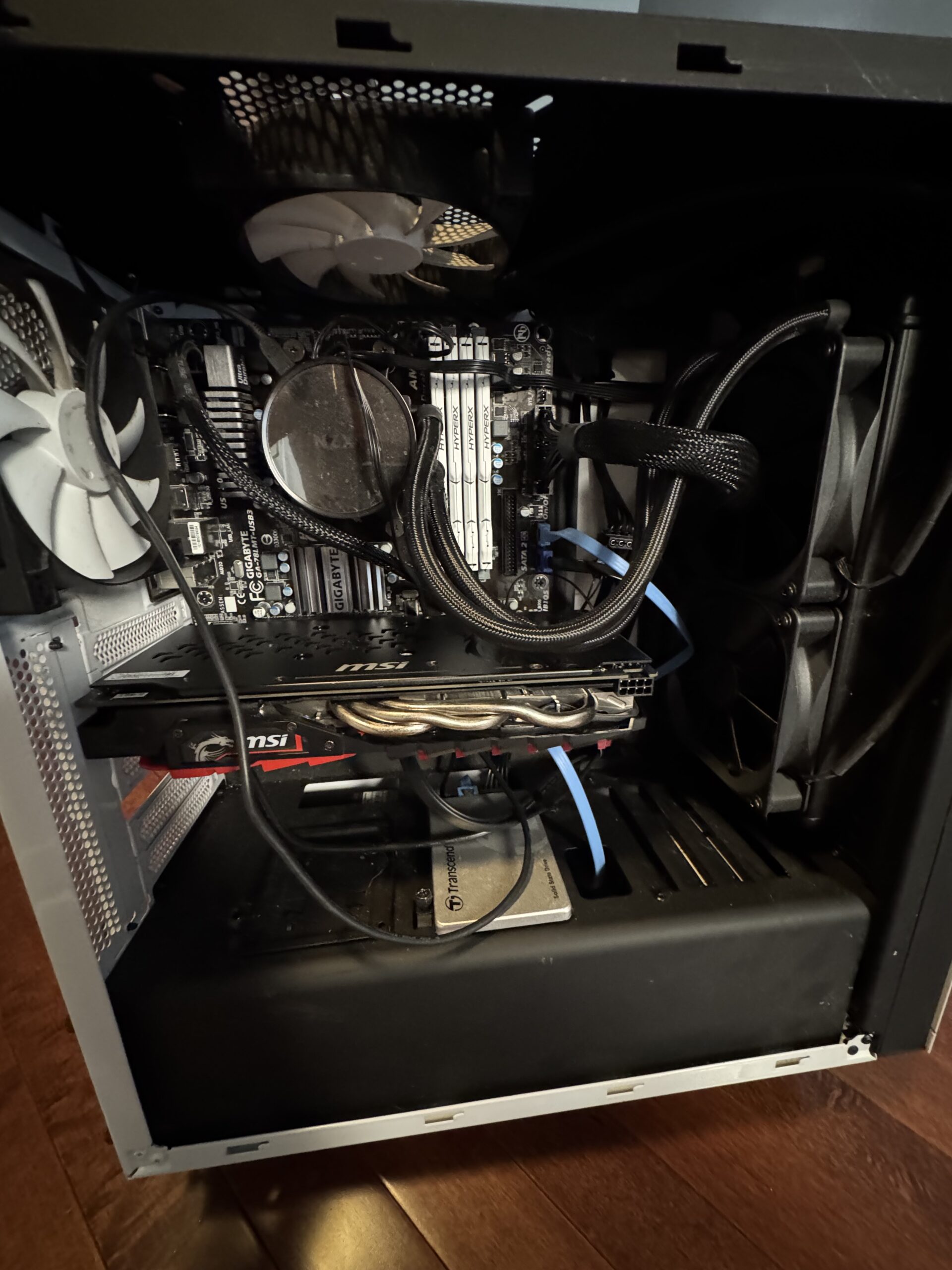
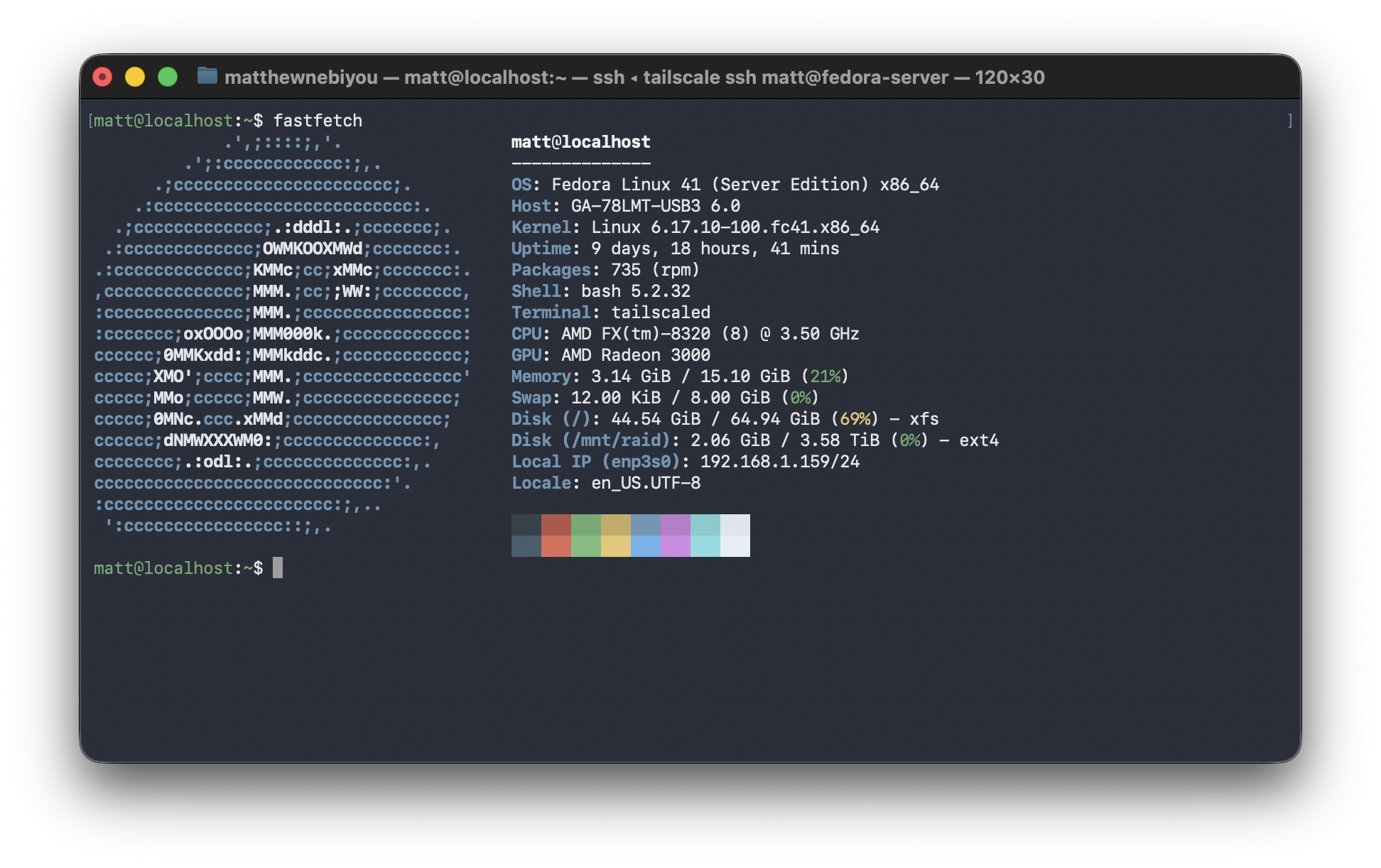
Hardware specifications
| CPU | AMD FX-8320 — 8-core, 3.5GHz base (Vishera architecture) |
| RAM | 16 GB DDR3 |
| Boot drive | SATA SSD — LUKS encrypted full-disk encryption |
| Storage array | 2× HDD in software RAID — dedicated to Nextcloud data |
| Operating system | Fedora Server — headless, no GUI |
| Form factor | mini ATX desktop tower — self-built |
| Network | Wired Ethernet — Tailscale overlay on top |
LUKS full-disk encryption: The SATA SSD boot drive is encrypted with LUKS (Linux Unified Key Setup): the standard disk encryption framework on Linux. If the physical machine were ever stolen, the drive contents would be unreadable without the encryption passphrase. This is the same encryption standard used in enterprise environments and is required for many compliance frameworks.
Storage architecture
RAID for Nextcloud: The two HDDs run in a software RAID 1 (mirror) configuration, meaning every file written to Nextcloud is simultaneously written to both drives. If either drive fails, the data survives intact on the other. This provides hardware fault tolerance for the personal files, photos and calendar data stored in Nextcloud without any data loss window.
OS & security hardening
Fedora Server ships with a stronger default security posture than most homelab operating systems. Rather than stripping it back for convenience, I kept and extended the defaults, treating the server as if it were a production system that needed to be hardened rather than a toy that just needed to work.
Why Fedora Server over Ubuntu? Most homelab tutorials default to Ubuntu. Fedora Server ships SELinux enforcing by default (Ubuntu uses AppArmor in a more permissive configuration), tracks closer to RHEL which dominates in enterprise environments and gets newer kernel and package versions faster. It’s a more opinionated, security-conscious choice that reflects how production Linux systems are often configured.
Services running on this machine
Note on the hardware: The AMD FX-8320 is an older processor. I did not choose it for raw performance, but because it’s hardware I already owned. Running a SIEM, multiple Docker containers and a local LLM on an 8-core machine with 16GB of RAM requires careful resource management and taught me a lot about how to tune services for constrained environments. Ollama in particular required experimentation to find models small enough to run without starving other services.